
How to Write an ATS-Friendly Resume (Complete Guide)
Learn step-by-step how to format, keyword-optimize, and write achievement bullets so your resume passes ATS and gets seen by recruiters.
How to Write an ATS-Friendly Resume (Complete Guide)
Learn step-by-step how to format, keyword-optimize, and write achievement bullets so your resume passes ATS and gets seen by recruiters.
What is an ATS and why it matters
Applicant Tracking Systems (ATS) are software platforms used by employers to collect, filter, and rank job applications. When you submit a resume through a company's career portal, it's often parsed and scored by an ATS before a human recruiter ever sees it. If your resume isn't formatted or keyworded to match the job posting, it may never make it to the hiring manager.
Top principles for ATS-friendly resumes
- Use standard headings: Contact, Summary, Experience, Education, Skills.
- Prefer simple, single-column layouts: Tables, text boxes, and multi-column formats confuse parsers.
- File format matters: .docx is safest; modern PDFs are okay but some legacy ATS struggle with complex PDFs.
- Include a dedicated Skills section: This helps ATS and human reviewers quickly find relevant keywords.
- Be consistent: Dates, punctuation, and bullet styles should be uniform throughout.
How ATS parse your resume
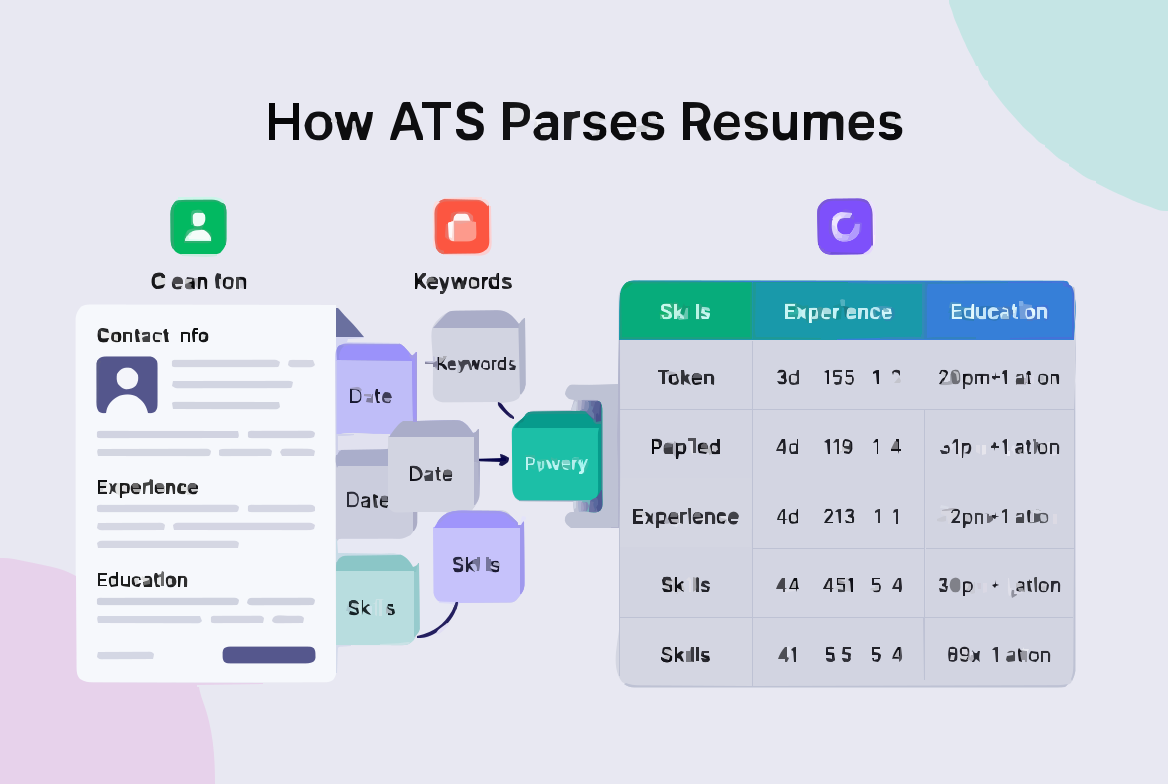
ATS platforms tokenize text, extract sections based on headings, and match keywords against job criteria. They often use simple string matching, though modern systems use more sophisticated NLP techniques. Common mistakes that break parsing include embedding information in headers/footers, placing contact info inside images, and using unusual section titles.
Formatting rules that work reliably
- Use a clear, professional font (Arial, Calibri, Georgia, or Times New Roman).
- Font size 10–12pt for body copy; headings 14–18pt.
- Save as .docx for maximum compatibility; PDF is acceptable in many cases.
- Use conventional headings like "Work Experience" not creative labels.
- Keep contact information at the top of the document — avoid headers/footers.
- Use standard bullet characters (• or -).
Writing achievement bullets for ATS and humans
Bullets should be concise, start with strong action verbs, and include metrics where possible. Use a formula:
[Action verb] + [what you did] + [result with metric]
Examples:
- Designed automated ETL pipeline that reduced data processing time by 70% and saved 400 engineering hours/year.
- Led cross-functional launch of feature that increased monthly retention by 12% and generated $250K in new ARR.
How to extract keywords from job postings
Scan the job description for required skills, qualifications, and repeated phrases. Prioritize exact keyword matches in your Skills section and weave them naturally into your Experience bullets and Summary. Use variations where appropriate (e.g., "project management" and "project manager").
Resume sections & sample structure
Suggested order:
- Contact information
- Professional Summary (2–3 lines targeted to the role)
- Skills (keyword-rich list)
- Experience (reverse-chronological with achievement bullets)
- Education
- Optional: Certifications, Projects, or Volunteer
Professional summary examples
Software Engineer: "Backend engineer with 6+ years building scalable APIs and data pipelines. Reduced latency by 45% and supported platforms with 10M+ daily requests. Skilled in Python, AWS, and distributed systems."
Product Manager: "Product leader with experience driving B2B SaaS roadmaps. Launched features that increased retention by 40% and generated $800K ARR. Strong in user research, analytics, and cross-functional leadership."
Action-oriented achievement bullet patterns
- [Action verb] + [what you did] + [result with metric]
Example: "Redesigned onboarding flow, reducing time-to-value by 40% and increasing activation rate by 25%" - [Action verb] + [specific initiative] + [impact on business goal]
Example: "Launched A/B testing framework that improved conversion rate by 18%, generating $2M in additional ARR" - [Solved problem X] + [by doing Y] + [achieving Z result]
Example: "Resolved critical performance bottleneck by implementing Redis caching, reducing page load time by 60%"
Examples & Before/After Snippets
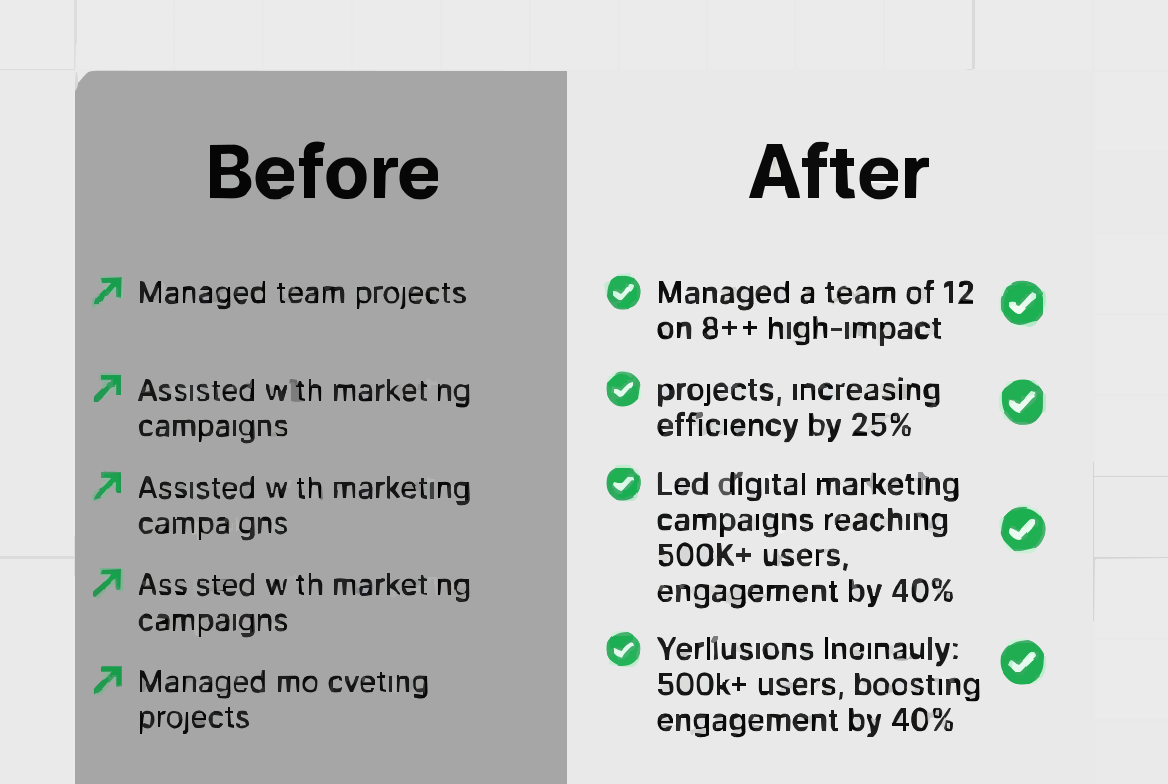
Seeing real transformations makes the difference clear. Here are three before-and-after examples showing how to convert weak, generic bullets into ATS-optimized, achievement-focused statements.
Example 1: Software Engineer
Before:
- Worked on backend systems and helped improve performance
- Used Python and AWS for various projects
- Participated in code reviews
After:
- Architected microservices backend using Python and AWS Lambda, reducing API response time by 45% and supporting 10M+ daily requests
- Implemented automated testing suite with 95% code coverage, decreasing production bugs by 60%
- Led code review process for team of 6 engineers, establishing best practices that improved code quality scores by 30%
Example 2: Product Manager
Before:
- Managed product roadmap and worked with stakeholders
- Responsible for launching new features
- Analyzed data to make decisions
After:
- Defined and executed product roadmap for B2B SaaS platform, prioritizing features based on customer feedback and driving 40% increase in user retention
- Launched mobile app MVP in 4 months, acquiring 50K+ users and $800K ARR within first quarter
- Conducted data analysis on user behavior using SQL and Mixpanel, identifying key friction points that informed 5 high-impact product improvements
Example 3: General Professional
Before:
- Improved team processes and efficiency
- Handled client communications
After:
- Streamlined cross-departmental workflow by implementing Asana project management system, reducing project turnaround time by 25% and eliminating 15 hours/week of manual status updates
- Managed relationships with 30+ enterprise clients, achieving 98% satisfaction rating and $2.5M in contract renewals
Common Mistakes & Checklist
Even experienced professionals make ATS resume mistakes that sabotage their applications. Avoid these common pitfalls:
- Using creative section titles. "Where I've Made an Impact" won't be recognized as "Work Experience." Stick to conventional headings.
- Hiding keywords in white text. Some candidates try to stuff invisible keywords to game the system. ATS platforms detect this, and it can get you automatically rejected.
- Sending generic resumes. The same resume for every application won't work. Tailor keywords and emphasis for each role.
- Overusing graphics and design elements. That beautiful infographic resume? The ATS can't read it.
- Forgetting to include a Skills section. This is where recruiters search first. A dedicated skills section is non-negotiable.
- Inconsistent formatting. Switching date formats, font sizes, or bullet styles throughout looks unprofessional and can confuse parsers.
How True Match AI Helps
Creating an ATS friendly resume for every application is time-consuming. True Match AI automates the optimization process, analyzing job descriptions and your resume to identify keyword gaps, formatting issues, and opportunities to strengthen your bullets.
Our platform provides a real-time match score showing how well your resume aligns with each specific job posting. You'll see exactly which keywords to add, where your formatting might fail ATS parsing, and how to restructure bullets for maximum impact. Instead of guessing whether your resume will pass, you get data-driven recommendations that improve your visibility and increase interview callbacks.
The AI-powered analysis learns from thousands of successful applications, helping you prioritize the changes that matter most. Whether you're a software engineer optimizing for technical roles or a product manager applying across industries, True Match AI adapts to your unique situation.
Conclusion & Next Steps
Writing an ATS-friendly resume isn't about gaming the system—it's about ensuring your qualifications are actually seen. By following proper formatting rules, strategically placing keywords, and crafting achievement-focused bullets, you dramatically increase your chances of passing automated screening and landing interviews.
Start by choosing one job description and optimizing your resume specifically for it using this guide. Run through the checklist, implement the before-and-after techniques, and track your results. As you refine your approach, you'll develop an instinct for what works.
Remember: the ATS is just the first hurdle. Once you pass, your resume still needs to impress human recruiters. The best resumes balance ATS optimization with compelling storytelling that showcases your unique value.
Ready to stop wondering if your resume is working? Take action today.
Try True Match AI
Get a free resume alignment and match score. Upload your resume and a job description to see exactly how well you're optimized for ATS, where you're losing points, and what to fix. Start landing more interviews in minutes.
 Download Checklist →
Key Takeaways
- Over 98% of Fortune 500 companies use ATS software to filter resumes before human review—optimization is essential, not optional
- Use simple formatting with .docx or PDF files, standard fonts, single-column layouts, and conventional section headings
- Extract keywords directly from job descriptions and place them strategically in your Summary, Skills, and Experience sections
- Write achievement-focused bullets using the CAR formula with quantified results and strong action verbs
- Avoid common mistakes like creative section titles, graphics, tables, and generic resumes that don't match the job description
- Use the printable 12-point checklist before every application to ensure ATS compliance
Frequently Asked Questions
Q1: What file format is best for ATS?
A: .docx (Microsoft Word) is the safest format because it's universally compatible with all ATS platforms. PDF is also acceptable for most modern systems, but some older ATS versions struggle with PDFs, especially if they contain complex formatting. When in doubt, submit .docx. Never use .pages, .jpeg, .png, or other non-standard formats—these will be rejected or parsed incorrectly.
Q2: How many keywords should I include in my resume?
A: There's no magic number, but aim for 10–20 highly relevant keywords distributed naturally throughout your resume. Quality matters more than quantity. Focus on matching the exact terms used in the job description, especially in the requirements section. Include variations (e.g., "project management" and "project manager") and related terms. Don't stuff keywords unnaturally—use them in context within your bullets and summary. The Skills section is perfect for listing 8–12 core competencies that match the role.
Q3: Will using keywords get me penalized or flagged as keyword stuffing?
A: Not if you use them naturally and authentically. ATS systems are designed to find relevant matches, not penalize candidates for including applicable skills. The danger is in "white text keyword stuffing" (hiding keywords in white font) or listing skills you don't actually have. Always be truthful. If you include a keyword like "Python," be prepared to discuss it in an interview. Strategic keyword use means incorporating relevant terms into genuine descriptions of your work.
Q4: Can I use a creative resume design and still pass ATS?
A: Unfortunately, no. Creative resumes with graphics, multi-column layouts, custom fonts, and visual elements look impressive to humans but fail ATS parsing. Your best strategy is to maintain two versions: a clean, ATS-friendly resume for online applications, and a designed version for networking, in-person interviews, or situations where you're handing it directly to a human. For initial screening through company portals, always submit the ATS-optimized version.
Q5: Should I create a different resume for every job application?
A: Yes, but you don't need to start from scratch each time. Maintain a master resume with all your experiences and achievements, then create tailored versions that emphasize different keywords and accomplishments based on each job description. Focus on adjusting your Professional Summary, reordering your Skills section to prioritize relevant ones, and tweaking bullet points to incorporate language from the posting. This targeted approach significantly improves your ATS match score and shows recruiters you've customized your application.